
PAIRING / 01
Sneakers, meet matching socks.
Someone has just bought sneakers. Offer a pair of socks that suits the same activity: a small, practical addition rather than a second big decision.
Shopify Post-purchase upsell
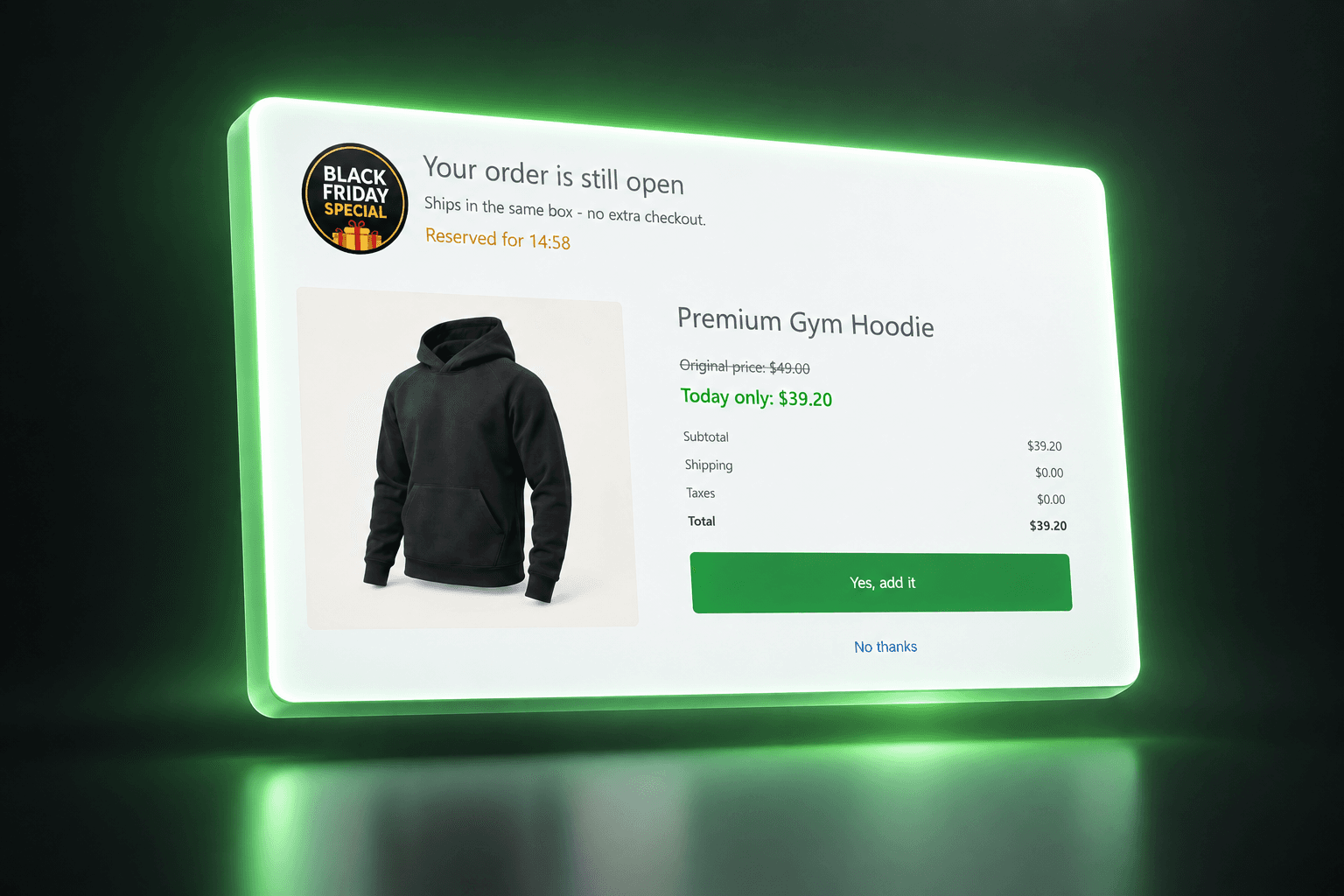
The checkout is complete. The opportunity to be helpful is not. Offer a complementary product after payment, without sending customers back through the normal shopping journey.
THE OPPORTUNITY
A customer can finish checkout and still be missing something useful. Shopify after-purchase offers give that customer a focused opportunity to complement the purchase they just made. Keep the original buying decision complete, then make the next suggestion easy to understand.
FROM IDEA TO OFFER
Create a post-purchase offer in MustHave Upsell. Start with an add-on that makes sense alongside the original purchase.
After payment, eligible customers see the post-checkout upsell before reaching the Thank You page. Shopify eligibility and your offer rules determine whether it appears.
The customer can accept the extra item or continue without it. Review offer performance in the app and refine the pairing over time.
RELEVANT BEATS RANDOM
Example pairings to inspire your offers, not customer results.
PAIRING / 01
Someone has just bought sneakers. Offer a pair of socks that suits the same activity: a small, practical addition rather than a second big decision.
PAIRING / 02
After a coffee maker purchase, suggest a compatible pack of coffee beans. The offer helps the customer get started with what they already chose.
A MORE THOUGHTFUL WAY TO SELL
Present the extra suggestion after payment instead of adding another decision before the initial purchase.
Use the completed purchase as context for a complementary product, not an unrelated promotion.
An accepted add-on is an opportunity to increase order value using a purchase already in progress.
A FEW GOOD QUESTIONS
It appears after payment and before the Thank You page on eligible Shopify checkouts. It is separate from a popup shown while browsing the store.
It describes accepting an additional offer after the initial payment without repeating the normal storefront and checkout journey. Availability depends on Shopify checkout and payment eligibility; it is not a promise that every payment method supports it.
No. Your offer rules and Shopify eligibility determine whether an offer is shown. Test the payment methods and order scenarios that matter to your store.
Shopify lets you select one active app for the post-purchase page. Review your current checkout settings before selecting MustHave Upsell.
No. The offer is optional. Customers can decline the extra product and continue to their order confirmation.
MUSTHAVE / UPSELL
Start with a product that complements what your customer just bought.
Install on ShopifyONE APP. MORE POSSIBILITIES.