
PAIRING / 01
Complete a workout set.
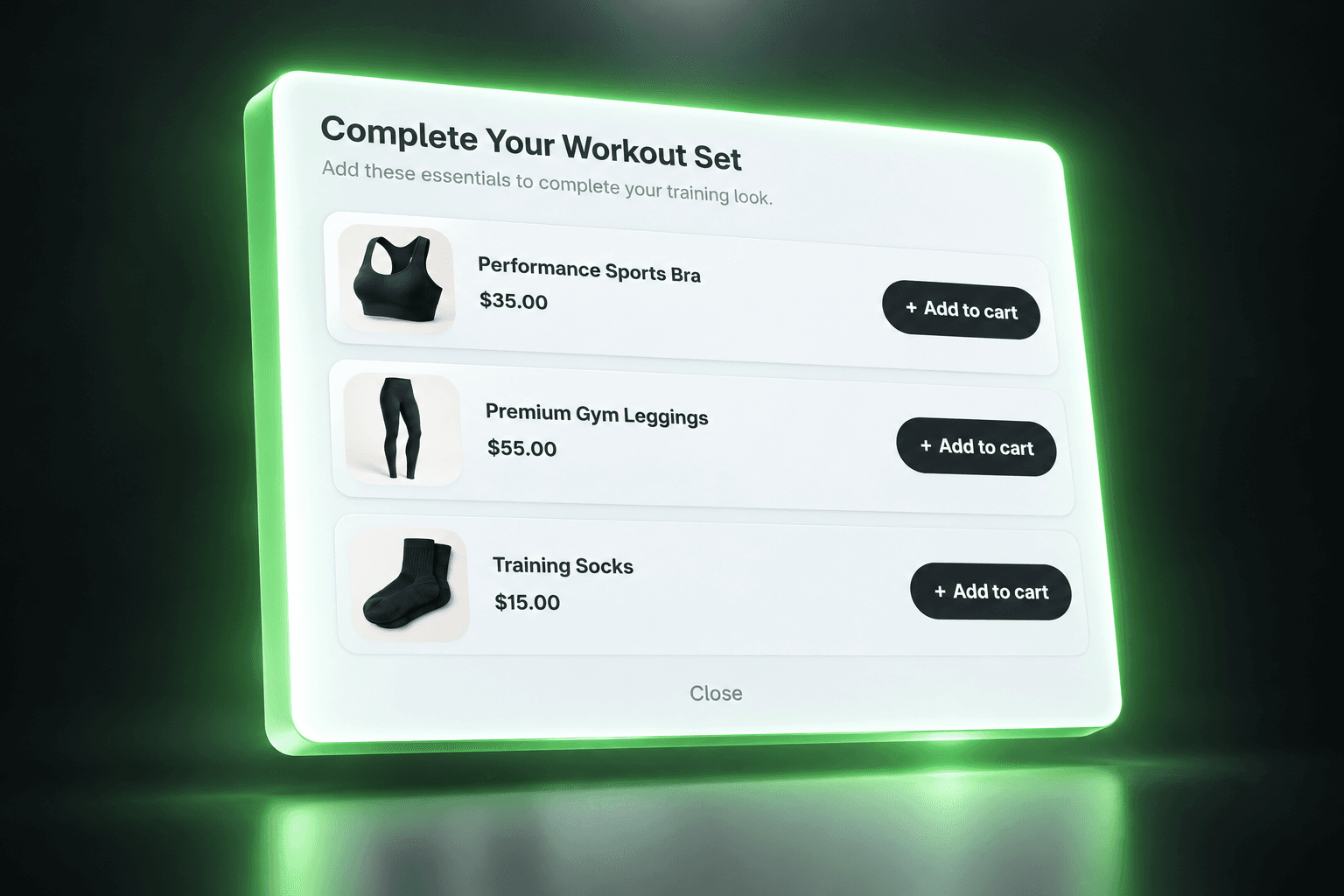
For a shopper considering gym clothing, recommend a sports bra, leggings, or training socks. Each item serves the same activity rather than introducing a random promotion.
Shopify Upsell popup
Give a useful product its moment. Highlight complementary items or a relevant best seller in a focused popup while customers are still shopping.
THE OPPORTUNITY
A shopper can browse your store without ever reaching a product that fits their needs. A Shopify product recommendation popup gives a selected offer more visibility at an appropriate point in the journey. Be selective: the popup should earn attention with relevance, not interrupt every decision.
FROM IDEA TO OFFER
Select complementary items or a best seller worth highlighting. Keep the recommendation connected to the shopping context.
Create the popup offer in MustHave Upsell and use the timing and targeting options available in the app. Preview when it appears before going live.
Test the product action and the close option on mobile and desktop. Review offer performance and adjust the recommendation when it is not useful.
RELEVANT BEATS RANDOM
Example pairings to inspire your offers, not customer results.
PAIRING / 01
For a shopper considering gym clothing, recommend a sports bra, leggings, or training socks. Each item serves the same activity rather than introducing a random promotion.
PAIRING / 02
A homeware store can use a Shopify best-seller popup to highlight a popular mug to shoppers considering coffee accessories. Choose an actual store best seller; do not invent popularity claims.
A MORE THOUGHTFUL WAY TO SELL
Give a relevant recommendation a focused space instead of relying on the shopper finding another collection.
Offer another useful discovery to people already browsing, without depending solely on more traffic.
Use a Shopify cross-sell popup for a complementary item or a selected best seller, guided by the display options available in the app.
A FEW GOOD QUESTIONS
A popup displays an offer in an overlay. A product page offer is part of the page layout beside the main product information. Choose based on how much focus the recommendation needs.
This placement is for the storefront shopping journey. Use the dedicated post-purchase placement for eligible offers between payment and order confirmation.
A relevant best seller is a useful product to choose for your popup. Select it in your offer setup; this does not imply automatic best-seller ranking or selection.
Only rely on triggers and display controls shown in your MustHave Upsell settings. This page does not promise exit intent, scheduling, or frequency caps. Contact support to confirm a specific requirement.
No. Relevance, timing, products, and the rest of the shopping experience all matter. Start with a useful offer, test the experience, and use actual performance data to decide what to change.
MUSTHAVE / UPSELL
Turn attention toward products that make sense for your customers.
Install on ShopifyONE APP. MORE POSSIBILITIES.